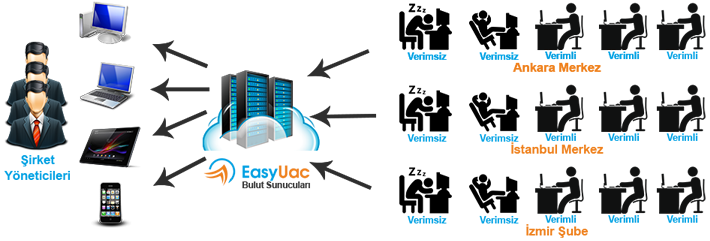
YOU CAN CUSTOMIZE YOUR MANAGEMENT BY GROUPING PCs.
With EasyUAC, you can manage PCs by department or group. For example, you can create groups such as accounting, software, sales, and add PCs to these groups. You can apply restrictions to these groups and even assign authorized sub-users and administrators to the group.